

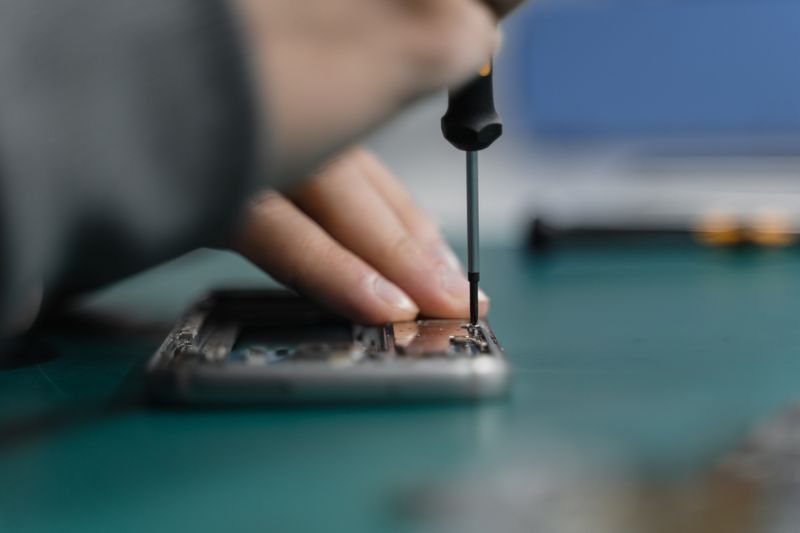
What to Do If Your Phone Gets Wet
If your phone is wet right now, start at step one. The first few minutes matter most.
Salt water, pool water or sea spray? Turn it off (step 1), then read "Salt Water and Pool Water Are a Different Problem" below before you dry it — a fully submerged phone gets a rinse first.
Do This First, In This Order
1. Get it out of the water and turn it off
Water on its own does less damage than water plus power: current through a wet board eats copper traces within minutes.
iPhone 8 or newer: hold the side button and either volume button together until "slide to power off" appears, then drag the slider. Do not hold the side button alone (that starts Siri), and do not hold side plus volume up, which begins the Emergency SOS countdown.
Older iPhones and most Android phones: hold the power button until the power-off option appears. Gestures vary by brand; some Androids need power plus volume down.
If the screen will not respond: do not force restart it. On an iPhone, volume up, volume down, then hold side is a force restart: it reboots the phone rather than switching it off, sending power back through a wet board. Stop pressing buttons and bring it to us on 0466 446 461 to have the battery disconnected.
If the phone is already off, leave it off.
2. Remove the case and the SIM tray
A case traps water against the body. Pop the SIM tray with the phone's pin, a straightened paperclip or an earring hook — push straight into the hole beside the tray, do not lever it. If your phone is eSIM-only there is no tray: skip this step and open nothing else. Removing the tray clears water trapped in the recess and lets you check the liquid indicator, but it will not dry the inside: a sealed chassis has no airflow path.
3. Dry the outside and drain the ports
Salt water, pool water or sea spray? Read the salt water section below first.
Blot it with a lint-free cloth, then hold it charging-port-down and give a few controlled shakes to clear the port and speaker grilles.
4. Leave it off, upright, at room temperature
Stand it on a dry towel, ports facing down, somewhere with moving air: a fan on its coolest setting, an open window or air conditioning is fine. It is heat that does the damage, not airflow.
So no hairdryer, heat gun, heater, sunny dashboard or compressed air. Heat softens and warps the adhesive seals, stresses the battery and thermally loads components already sitting in water; forced air blows moisture deeper under components, turning a shallow problem into board-level damage: harm to the main circuit board itself, rather than to a part that can be swapped out.
5. Do not charge it or plug anything in
That includes wireless charging, and do not connect it to a computer. Power through a wet port turns recoverable phones into unrecoverable ones, and every power-on cycle sends current through a contaminated board, so resist the urge to keep testing it.
6. Get it assessed quickly
Corrosion begins in hours, not days. Call 0466 446 461 or bring it to Unit 6/61 Market St, Wollongong — assessment is free and we are open seven days. If we are closed, leave it off with the ports facing down and bring it in first thing; do not charge it overnight.
Salt Water and Pool Water Are a Different Problem
Fresh water conducts far less than sea water, but it is not harmless — tap water carries dissolved minerals, will short a powered board, and leaves its own deposits as it dries. Sea water is highly conductive and leaves salt crystals that draw moisture from the air, so corrosion continues after the phone feels dry. Pool water leaves chlorine and stabiliser residue that attacks metal the same way.
The rinsing question
If the phone is already off and was fully submerged in sea water, a brief swirl in a bowl of clean, cool fresh water — distilled or deionised if you have it — usually does more good than harm. No soap, no soaking, no warm water, and not under a running tap: a pressurised stream can push salt water past seals that survived the dunking. Do this before you blot it dry (step 3).
If it was only splashed, do not submerge it. Unsure? Ring 0466 446 461 first.
Wet sand acts like grinding paste inside a charging port, so do not brush or blow it out. Leave it where it is, ports down, and let us lift it out under magnification: dry sand comes out easily, ground-in sand does not.
Rice Does Not Work
A myth that will not go away. Rice cannot reach water sealed inside a chassis, draws moisture from the air far too slowly to matter, and sheds starch into open ports. Its real cost is the delay while corrosion spreads.
Your IP Rating Is Not a Guarantee
IP67 and IP68 ratings come from a laboratory: still fresh water, a set depth for a set time, on a brand-new sealed device. Seals age and every drop stresses them, and any repair that opens the phone breaks the factory seal. No repairer can restore or certify an original IP rating.
No rating covers salt water, chlorinated water, soap or sunscreen, and none covers water under pressure — a wave or a shower. Manufacturer warranties typically exclude liquid damage, and this is exactly why.
The Liquid Contact Indicator
A small sticker inside the phone turns red or pink on contact with liquid. On iPhones with a physical SIM tray — iPhone 5 through the tray-equipped 14, 15 and 16 models — it sits inside the tray slot: pop the tray out and shine a torch in. On eSIM-only iPhones there is no tray and no externally visible indicator; it can only be read with the phone open. Many Androids use the same spot.
Two caveats: it is one-way and cannot be reset, and sustained steam well outside normal operating conditions (a long hot shower, a sauna) can trip it without an obvious spill — ordinary humidity will not. It tells you liquid got inside, not how much, where, or whether the phone is repairable.
Why We Give No Warranty on Water Damage
To be plain about it: water damage repairs carry no warranty.
Corrosion is ongoing, not a single event. Ultrasonic cleaning removes contamination, and component-level repair — replacing individual chips and connectors on the board itself — replaces what has failed, but nothing undoes a partly eaten trace or a chemically weakened solder joint. A board can pass every bench test and fail weeks later.
Our other repairs carry full warranties; liquid damage is the single category where we cannot honestly promise a device will keep working. Your rights under Australian Consumer Law apply regardless.
"It Was Fine For a Week, Then It Died"
A familiar pattern, and it catches people out because the phone appeared to have escaped. Water reached the board without shorting anything critical, but the residue stays, creeping along traces and bridging connections that were never meant to touch.
If the phone dried out and is working normally, back it up over Wi-Fi to iCloud or Google One — not into a computer or a charger. If it is off, still damp or was soaked today, leave it off and bring it in; we will talk about data then. Either way, have it opened and cleaned soon.
Getting Your Data Back Is a Separate Job
Whether data can be retrieved depends on the state of the board and is assessed case by case; nobody can tell you in advance whether yours is recoverable. Encryption keys are tied to the hardware, so the storage chip alone is useless.
You will never be asked for your passcode here. We do not require it and we do not store it.
Bring It In
We open the phone, ultrasonically clean the board and carry out component-level repair where viable. Water damage recovery usually takes three to seven days, and some devices cannot be saved — we will say so rather than run up work on a lost cause. You get a firm quote after inspection, nothing proceeds without approval, and you can follow progress at Track My Repair with the job number from your receipt. Pickup and delivery is free in the Wollongong CBD, and up to $40 for surrounding suburbs.
Phone Repair Wollongong, Unit 6/61 Market St, Wollongong NSW 2500. Call 0466 446 461 or book online at phonerepairaustralia.com.au/book — open seven days, 9:00am to 5:30pm Monday to Wednesday and Friday, until 7:00pm Thursday, 9:00am to 4:00pm on weekends.
With a wet phone, the sooner we see it, the more we can do.